

🛡️ Windows Defender Exclusions
🛡️ How to Add BoomRO Folder to Windows Defender Exclusions
To prevent Windows Defender from blocking or deleting important BoomRO files (such as patches, Gepard Shield, or game executables), please follow the steps below to add the BoomRO folder to Antivirus Exclusions.
This step is strongly recommended to avoid errors, crashes, or missing files while playing.
📌 Step-by-Step Guide
1️⃣ Open Windows Security
- Click the Start Menu
- Type Windows Security
- Open Virus & Threat Protection
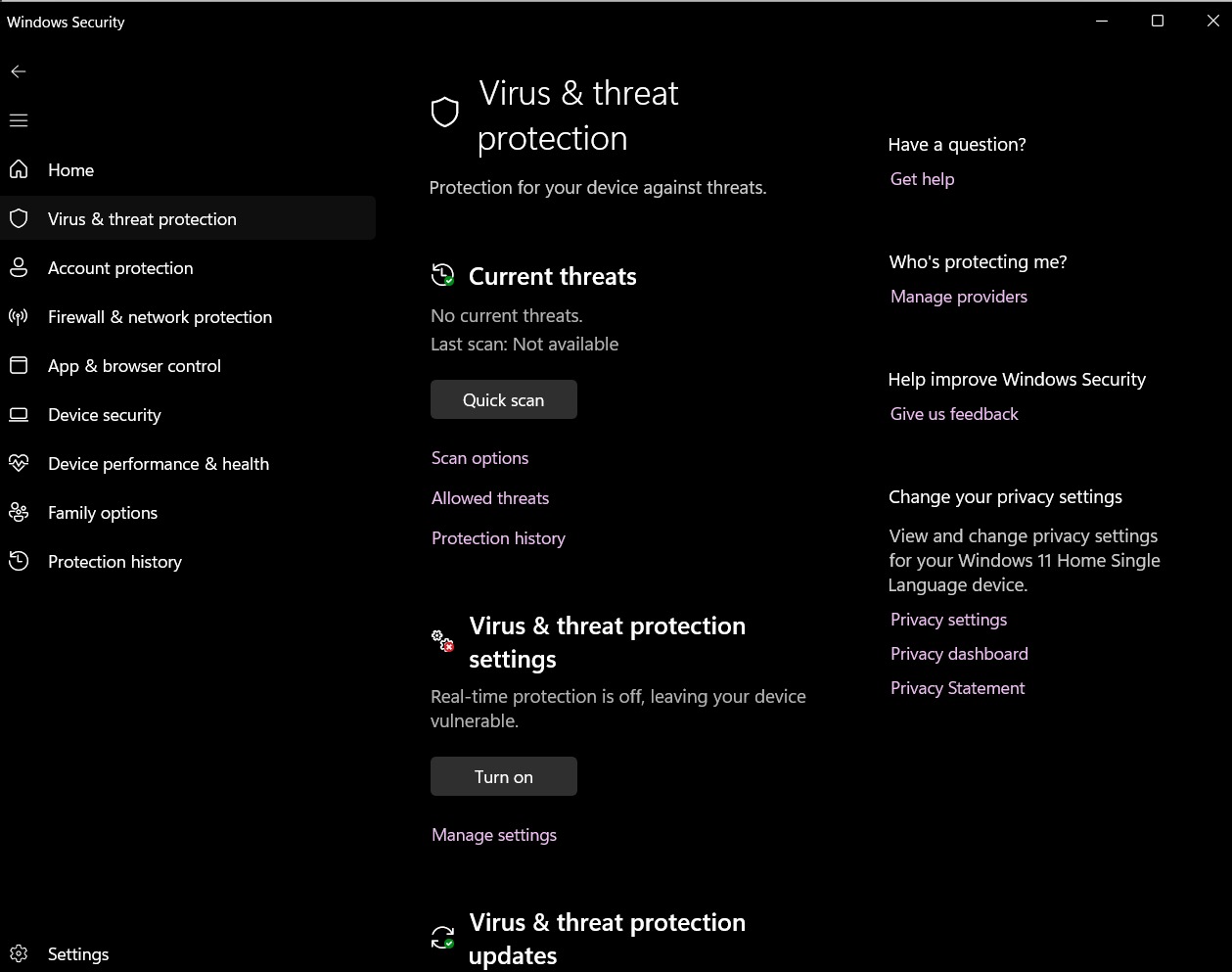
2️⃣ Open Virus & Threat Protection Settings
- Scroll down to Virus & threat protection settings
- Click Manage settings
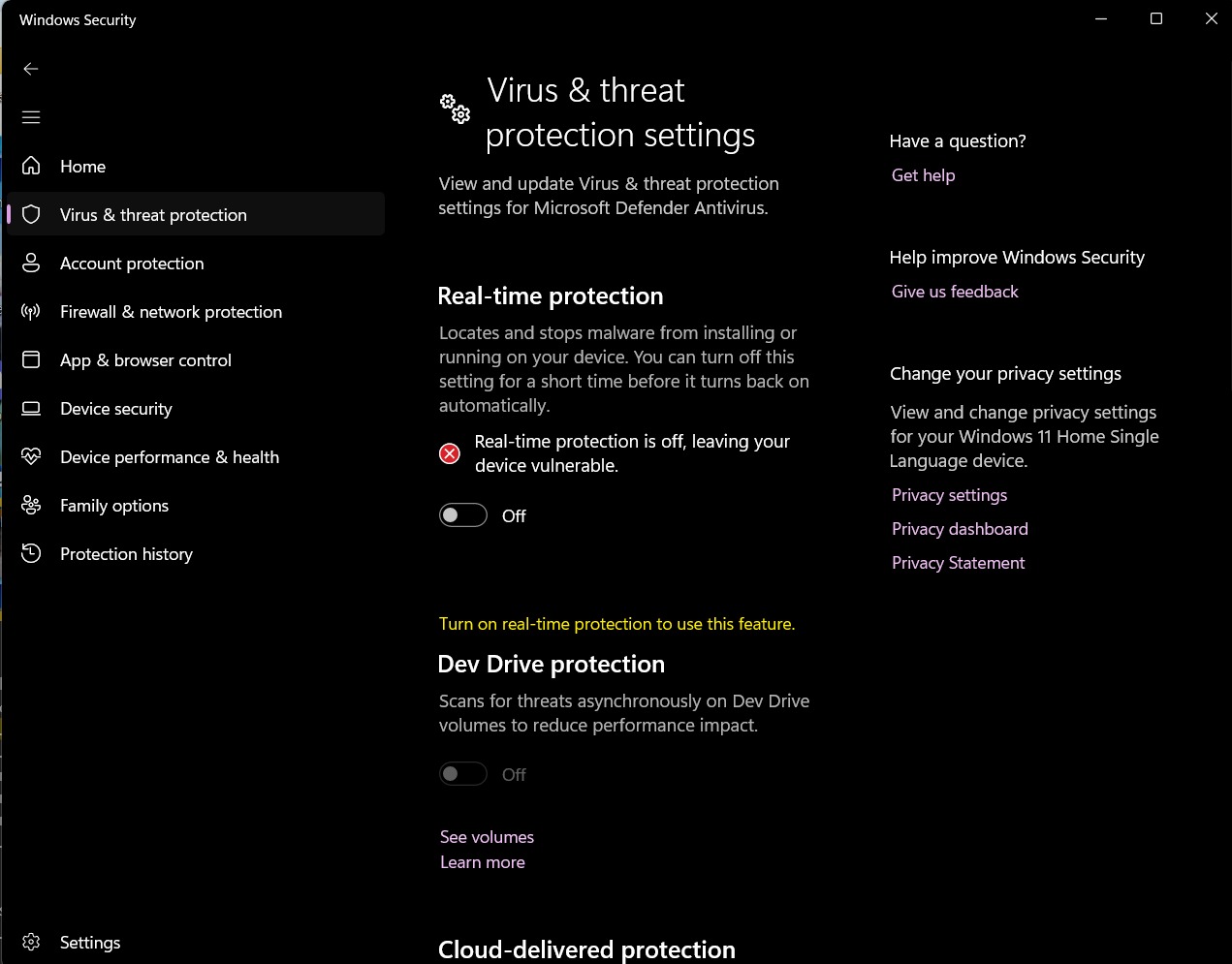
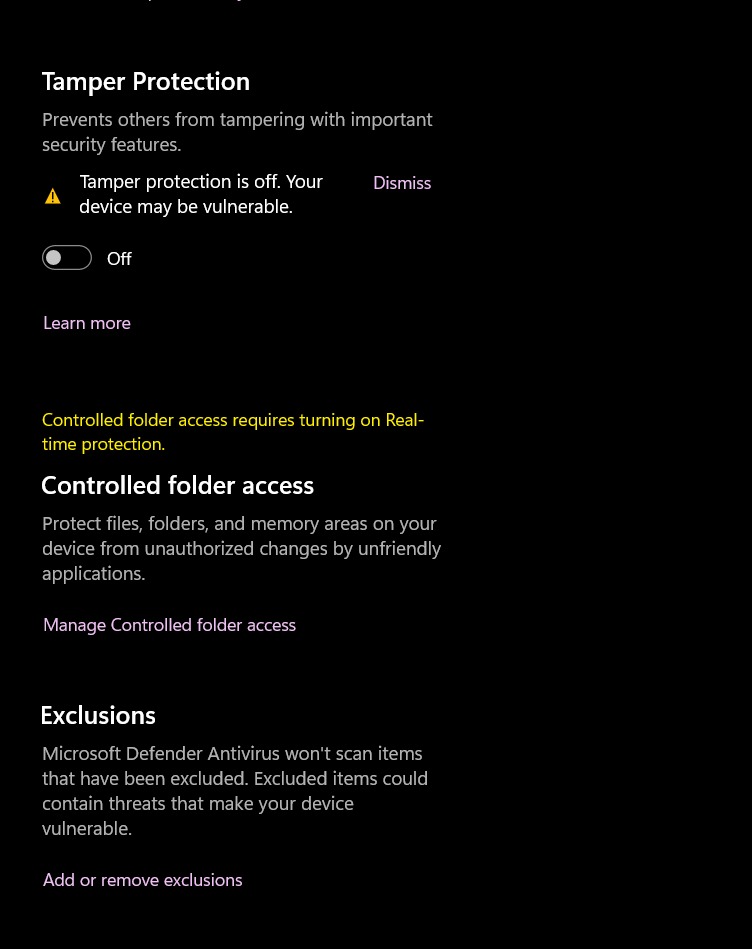
3️⃣ Add BoomRO Folder to Exclusions
- Scroll down until you find Exclusions
- Click Add or remove exclusions
- Click Add an exclusion
- Select Folder
- Choose your BoomRO installation folder
- Click Select Folder
✅ Done!
Your BoomRO folder is now excluded from Windows Defender scanning.
This will help prevent:
- Game launcher being deleted
- Gepard Shield errors
- Missing file issues
- Random crashes caused by antivirus interference
⚠️ Important Notes
- Make sure you select the main BoomRO folder, not just a subfolder.
- If you reinstall BoomRO in a different location, you must repeat these steps.
- Do not disable antivirus permanently — only use folder exclusions for safety.
🎮 Thank you for supporting BoomRO!
Enjoy smooth and safe gameplay!