

💎DONATION GUIDE

💎 How to Donate – Boom Ragnarok
💙 Thank you for supporting Boom Ragnarok!
This guide will help ensure your donation is processed safely, correctly, and without issues.
🌐 STEP 1 – Open the Donation Page
ℹ️ Info
Please use only the official Boom Ragnarok website to donate.
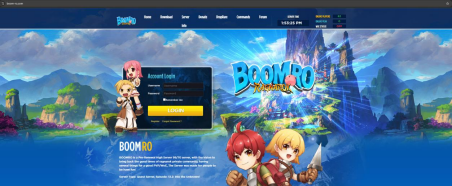
🔗
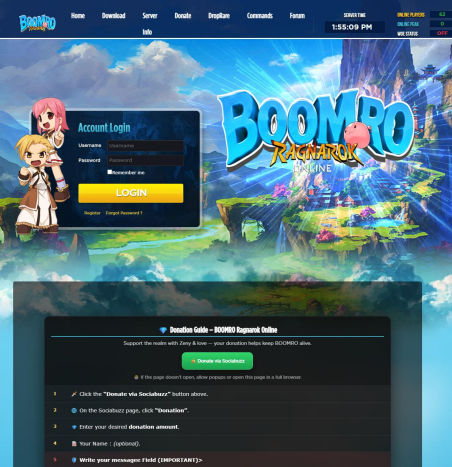
- Click the Donate menu
- Scroll down if needed
- Click the green button:
✅ Donate via Sociabuzz
🔁 STEP 2 – Redirect to Sociabuzz
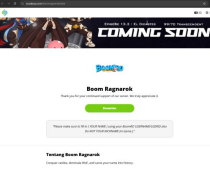
You will be redirected to the official Sociabuzz page:
🔗
Click the green button:
✅ Donation
📝 STEP 3 – Fill Out the Donation Form Correctly
⚠️ WARNING
Incorrect information may cause your donation not to be credited.
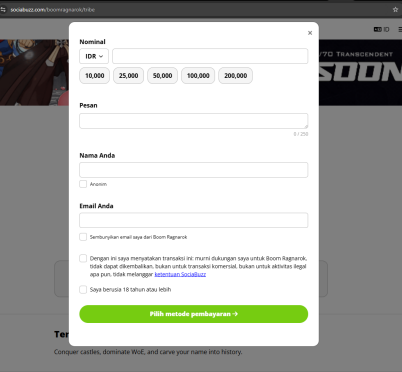
1️⃣ Amount
- Enter the amount manually or
- Select one of the available preset amounts
2️⃣ Message (REQUIRED)
❗ IMPORTANT
Enter your Login User ID (the ID you use to log into the game).
⚠️ Do NOT enter your character name here.
3️⃣ Your Name
Enter your In-Game Character Name.
ℹ️ This name will be used to claim your donation via the Donation Manager NPC.
4️⃣ Email
Enter the email address registered to your account.
5️⃣ Confirmation
- Check all 3 confirmation boxes
Then click:
✅ Choose Payment Method
💳 STEP 4 – Complete the Payment
- Select your preferred payment method
- Complete the payment process
- After payment, click:
✅ I have scanned and paid
✅ Success
A payment success confirmation will appear.
🎮 STEP 5 – Claim Your Donation In-Game
🎮 In-Game Process
- Log back into the game
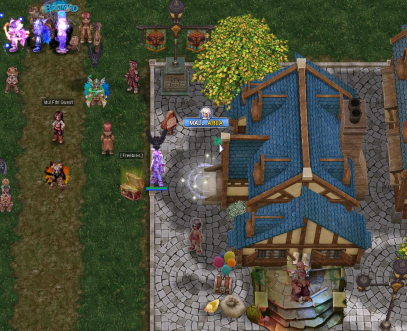
- Go to the Mall Area
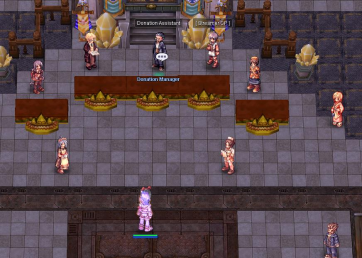
- Find and talk to the NPC:
🏛 Donation Manager
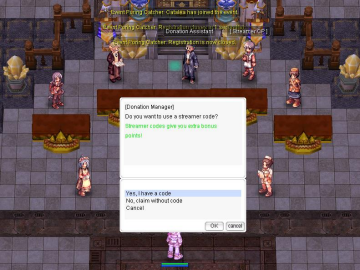
🎥 (Optional) Streamer Code
⭐ Bonus Feature
The NPC will ask if you want to use a streamer code.
If you use a streamer code:
- Enter the streamer code
- If valid, the streamer’s name will appear
- You will receive an additional +10% bonus
If you don’t have a code:
- Simply continue without entering one
✅ Donation Successful
🎉 SUCCESS
Your donation has been successfully credited to your ID.
You will see details such as:
- Base Points
- Streamer Bonus (if applicable)
⚠️ IMPORTANT NOTES
⚠️ Please Read Carefully
- Make sure your User ID is correct
- Make sure your Character Name is correct
- Donations are non-refundable
- Always keep your payment proof
❤️ Thank You for Supporting Boom Ragnarok
💖 Your support helps keep the server alive and continuously improving.
🌟 Have Fun in Boom Ragnarok!
🌟
For More Clear Pic Donation Guide Just Download PDF Page :thumbsup: